Room Payment Plans
Split payments for rooms to ask guests or hosts to pay a deposit for the room and the rest closer to the event date. All customizable for each event when you're assigning rooms.
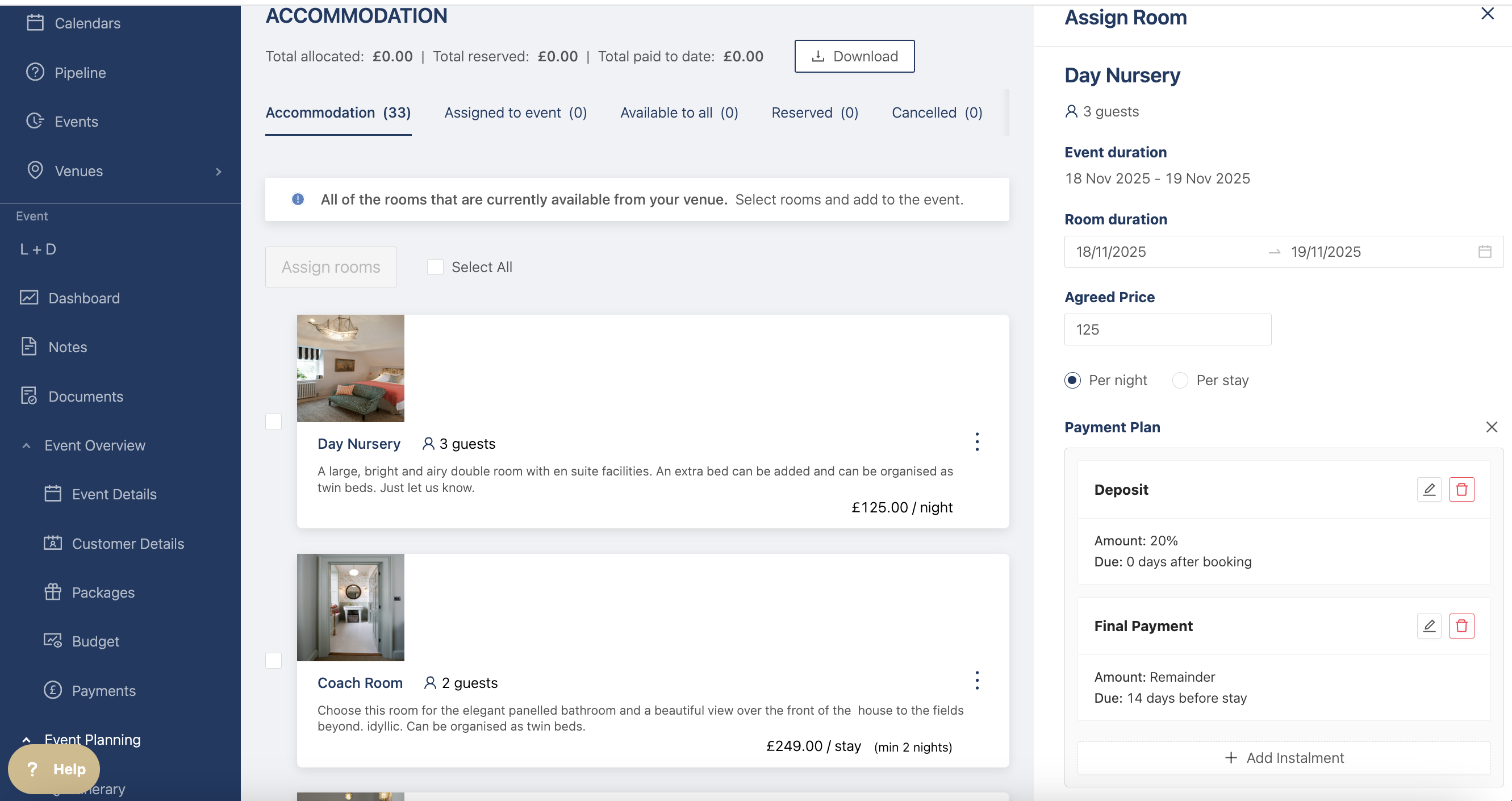
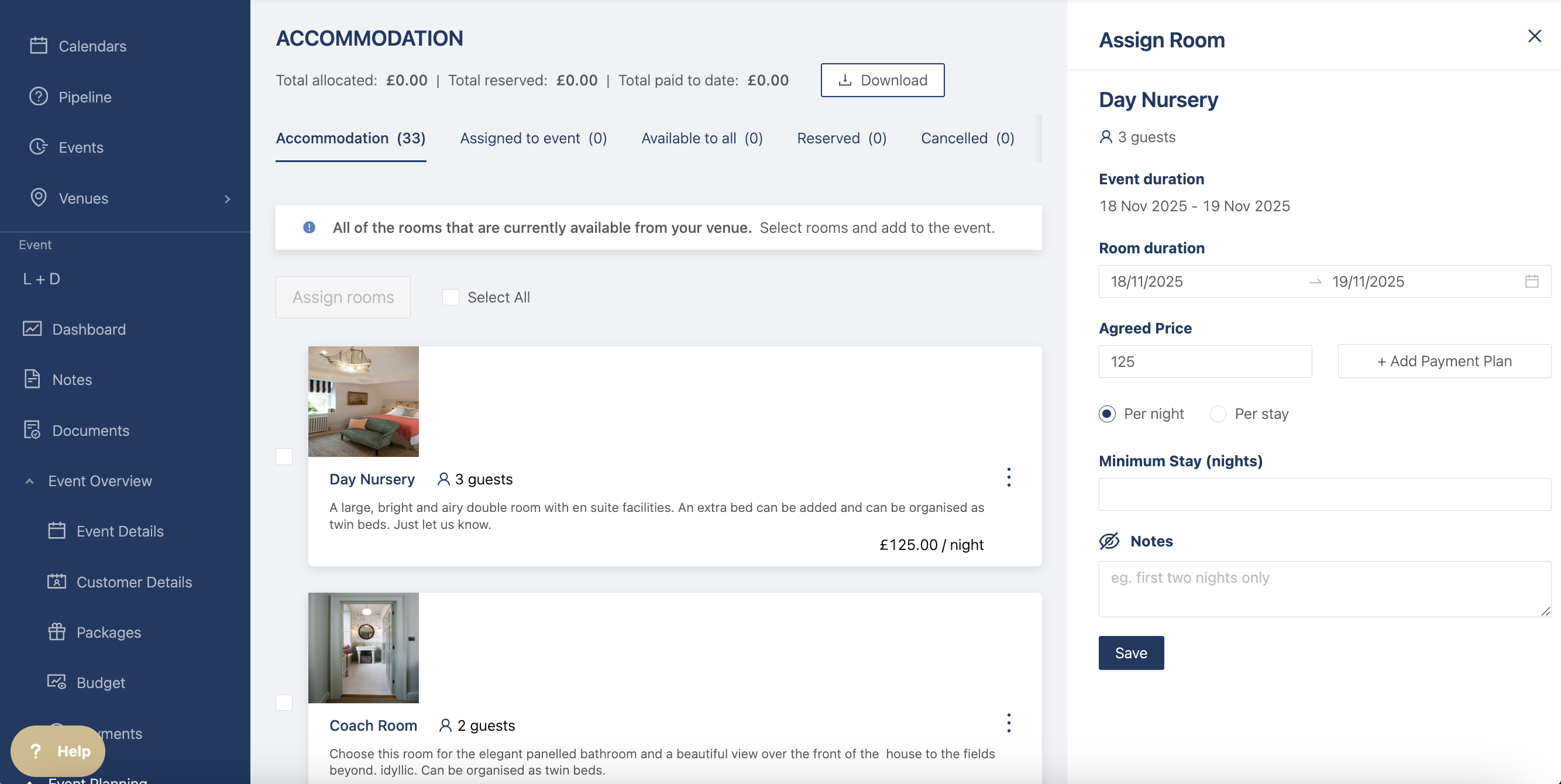
Head to the event accommodation to add a deposit for the rooms and assign the room(s) you want to add it to. In the drawer, there is a + Add Payment Plan button.
Click on + Add Payment Plan to add different instalments for the rooms.
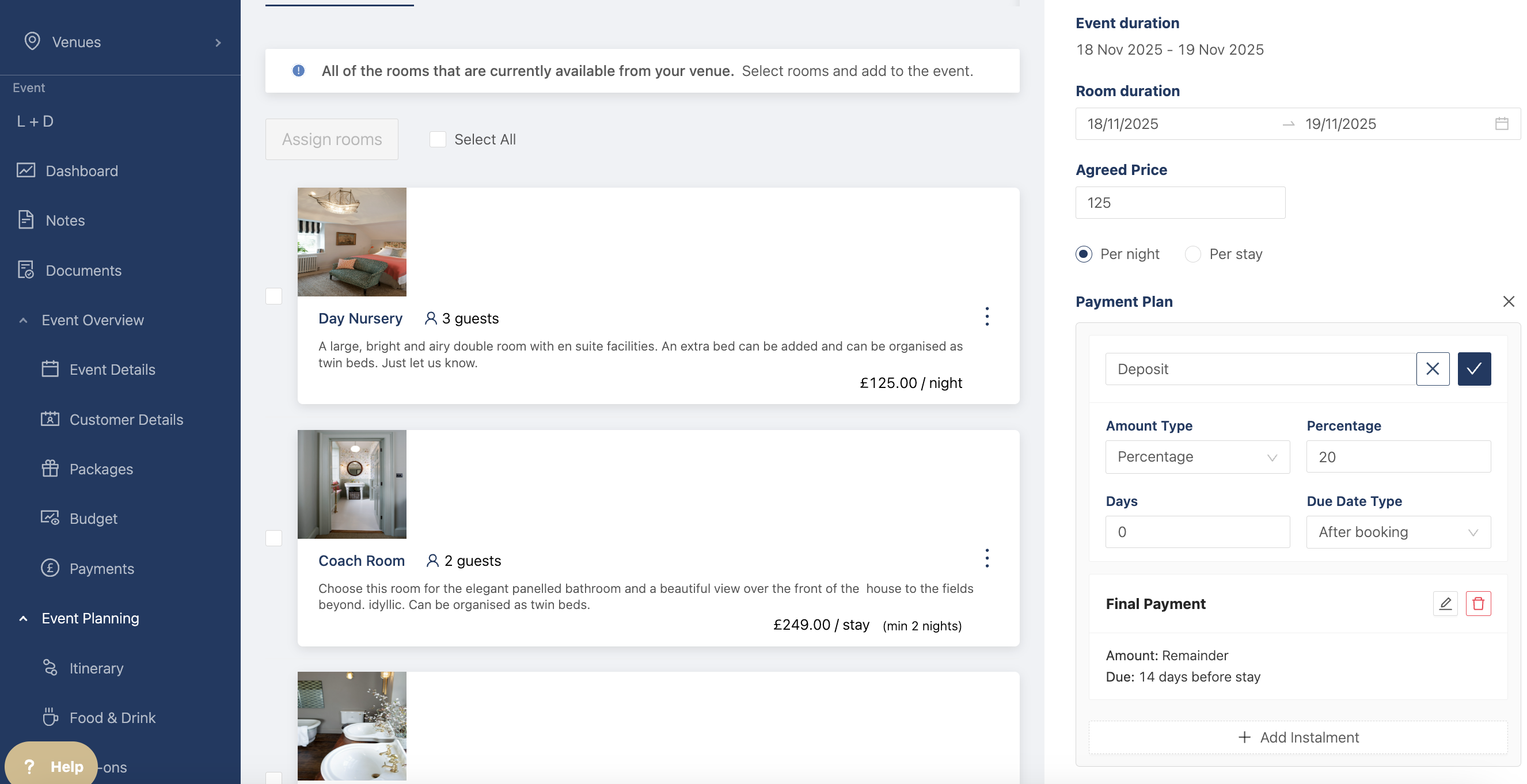
You can click on the pencil next to each deposit to change the instalment. Eg. the name, the amount, and when it's due.
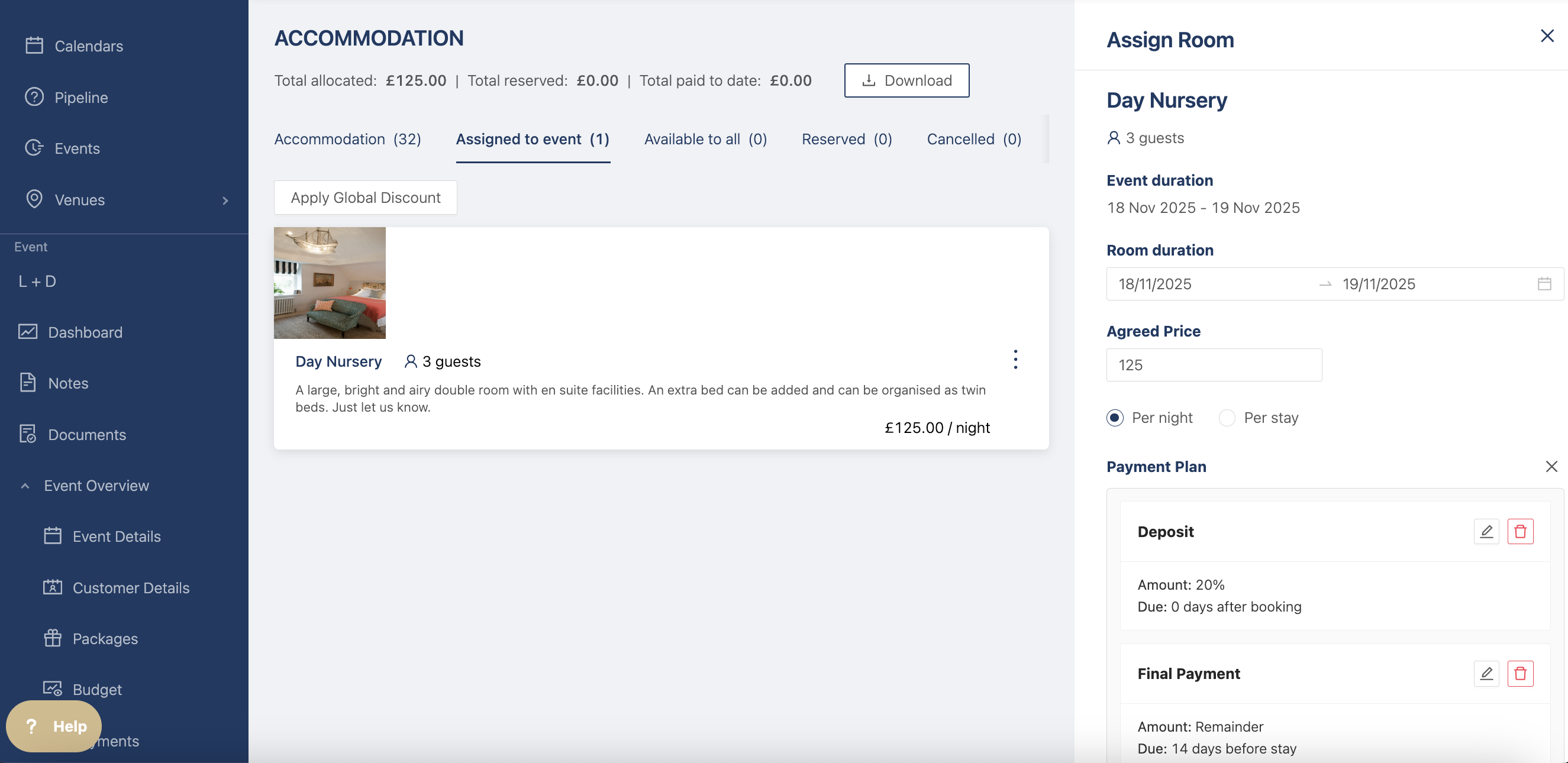
When you're happy with the changes, click on assign room and the room will be added to the event. Once it's assigned you can always edit the payment plan.
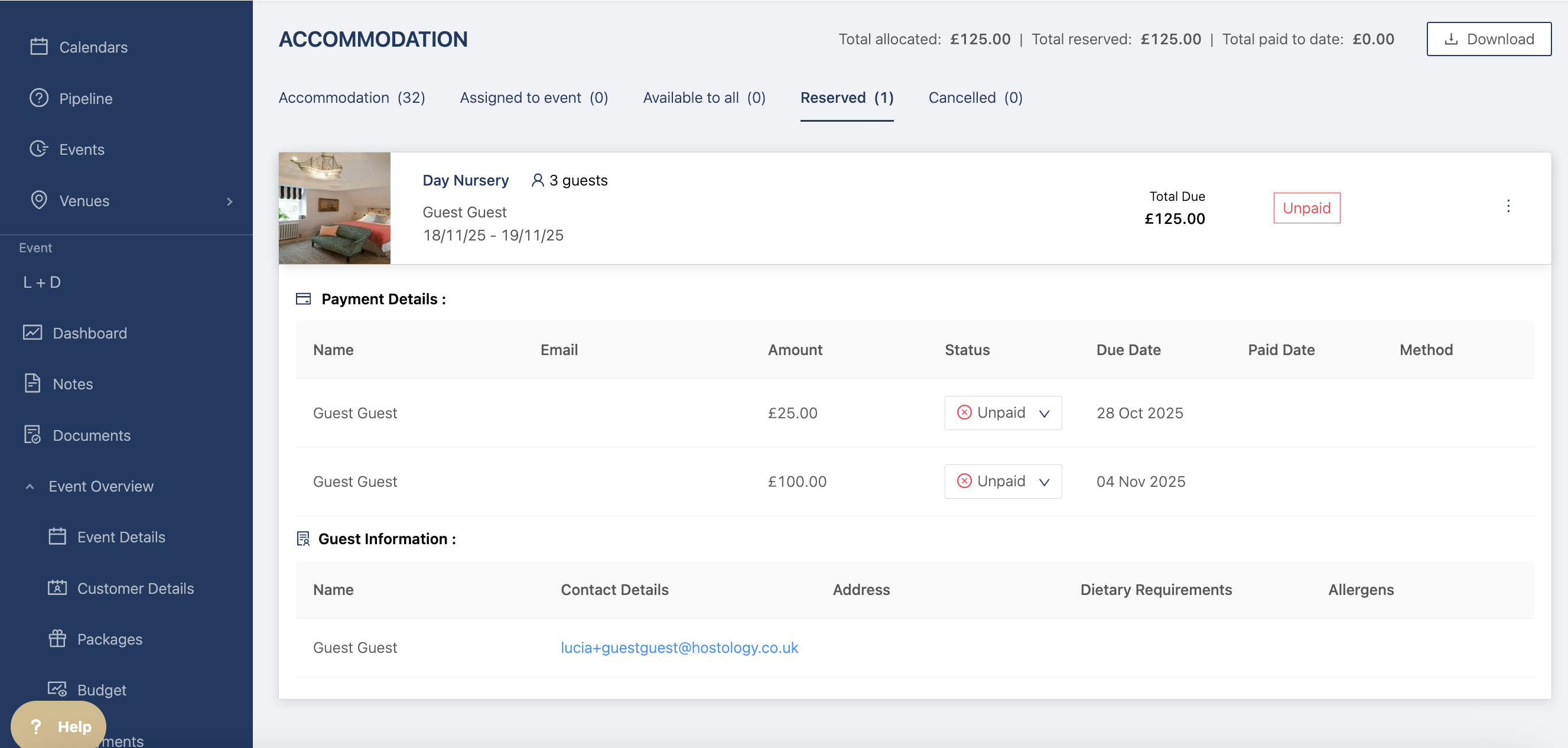
Once it's been booked by the guest, the room will show the payment instalments on the reserved page so you can track the different payments made my guests and hosts.