
Chats and Messages
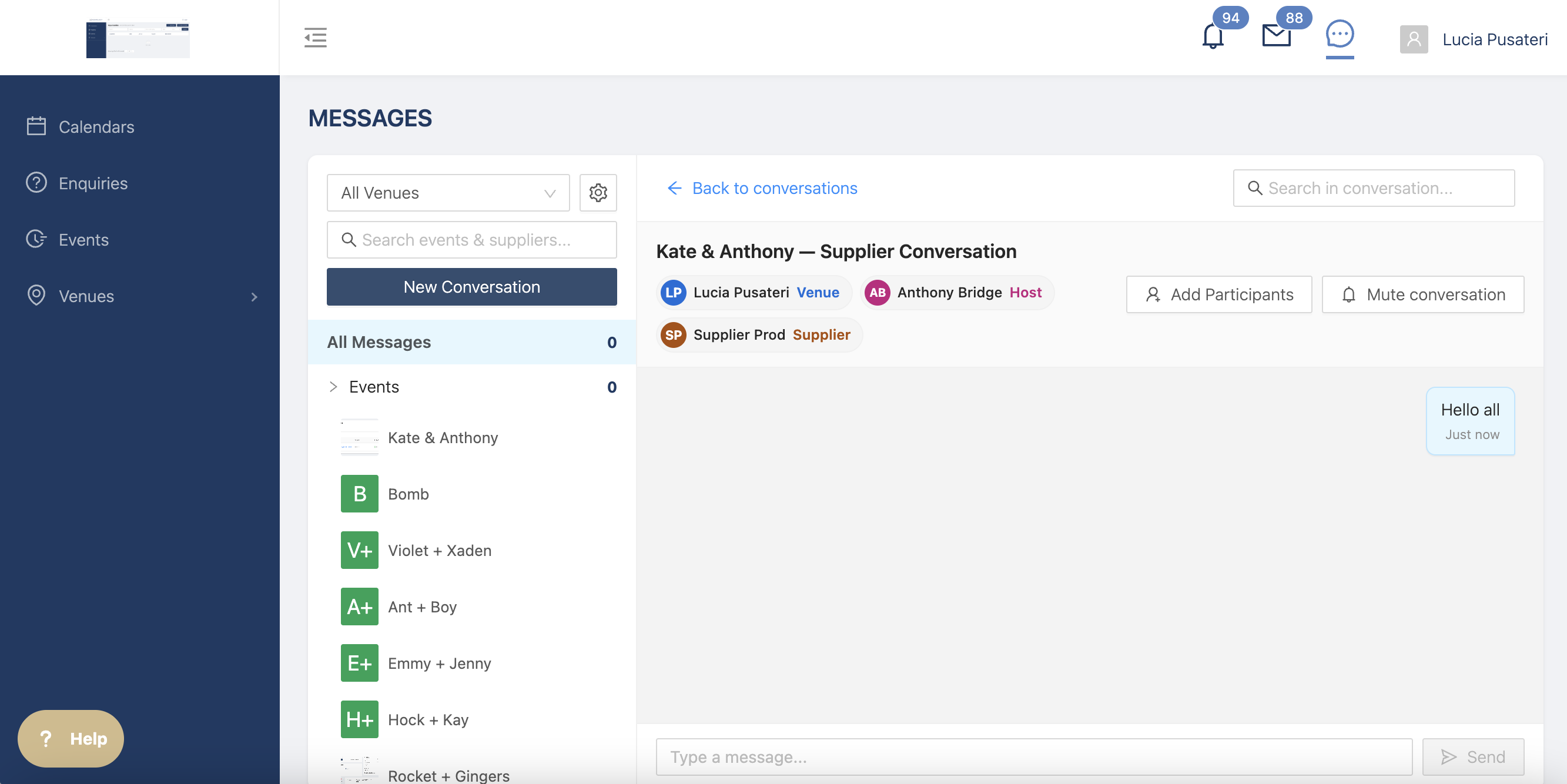
You can message hosts and suppliers directly and add suppliers to existing chats with hosts, from within the platoform.
Why use in-app messaging?
Using messaging in the app means you can:
- Keep conversations related to the booking in one place
- Communicate directly with the right people
- Easily involve hosts and suppliers in the same conversation
- Reduce the need to switch between email, text, and other messaging platforms
- Keep important conversations connected to your work in the app
Message suppliers directly
You can start a conversation directly with a hosts and supplier from the platform.
This means you can ask questions, share information, confirm details, and coordinate arrangements without having to move the conversation to another platform.
Add suppliers to a host chat
Need to bring a supplier into an existing conversation?
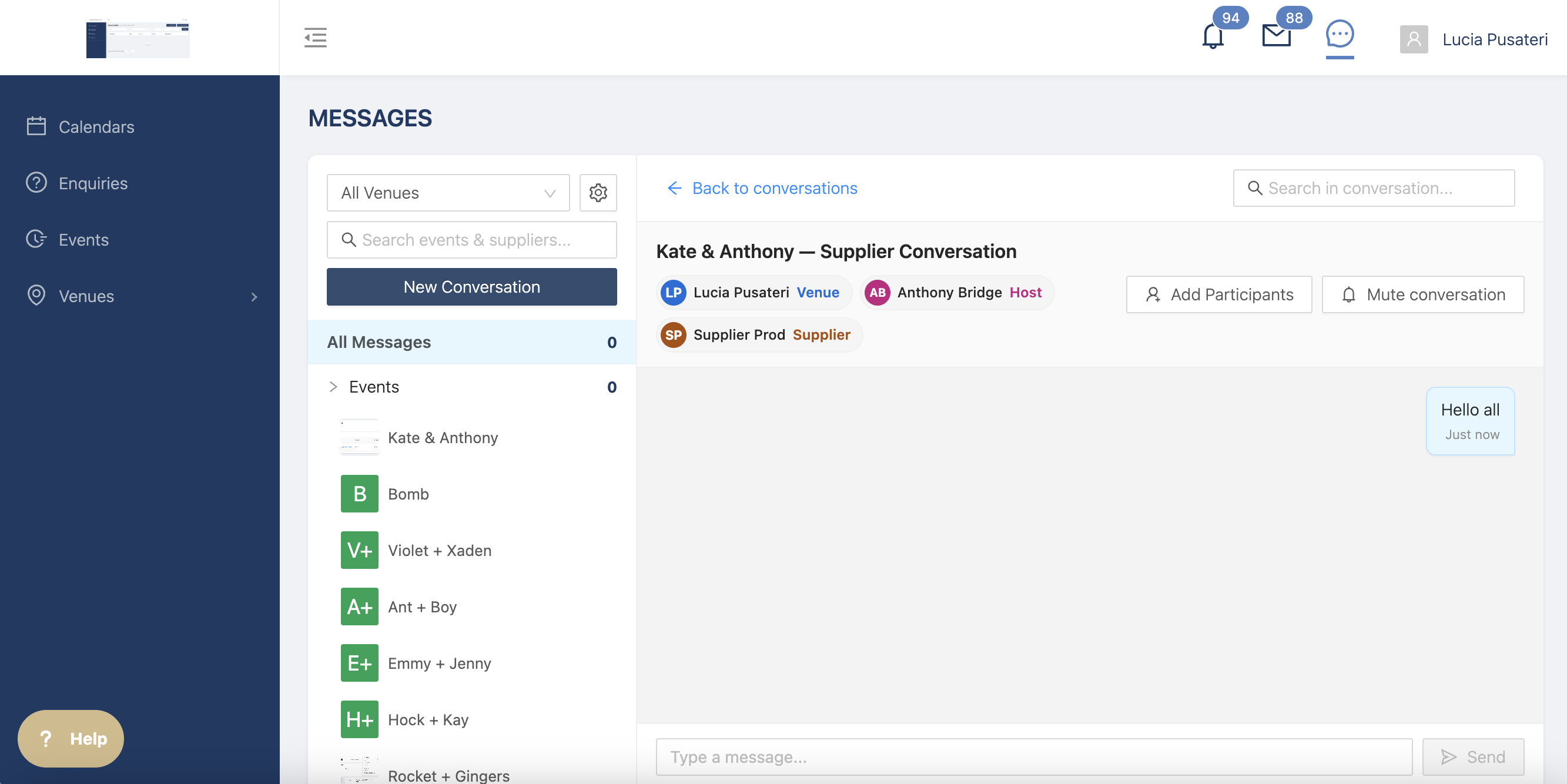
You can now add them to a chat with the host, allowing everyone to communicate in one place.
This is particularly useful when coordinating event details, timings, requirements, or changes that everyone needs to be aware of.
How do I message a supplier?
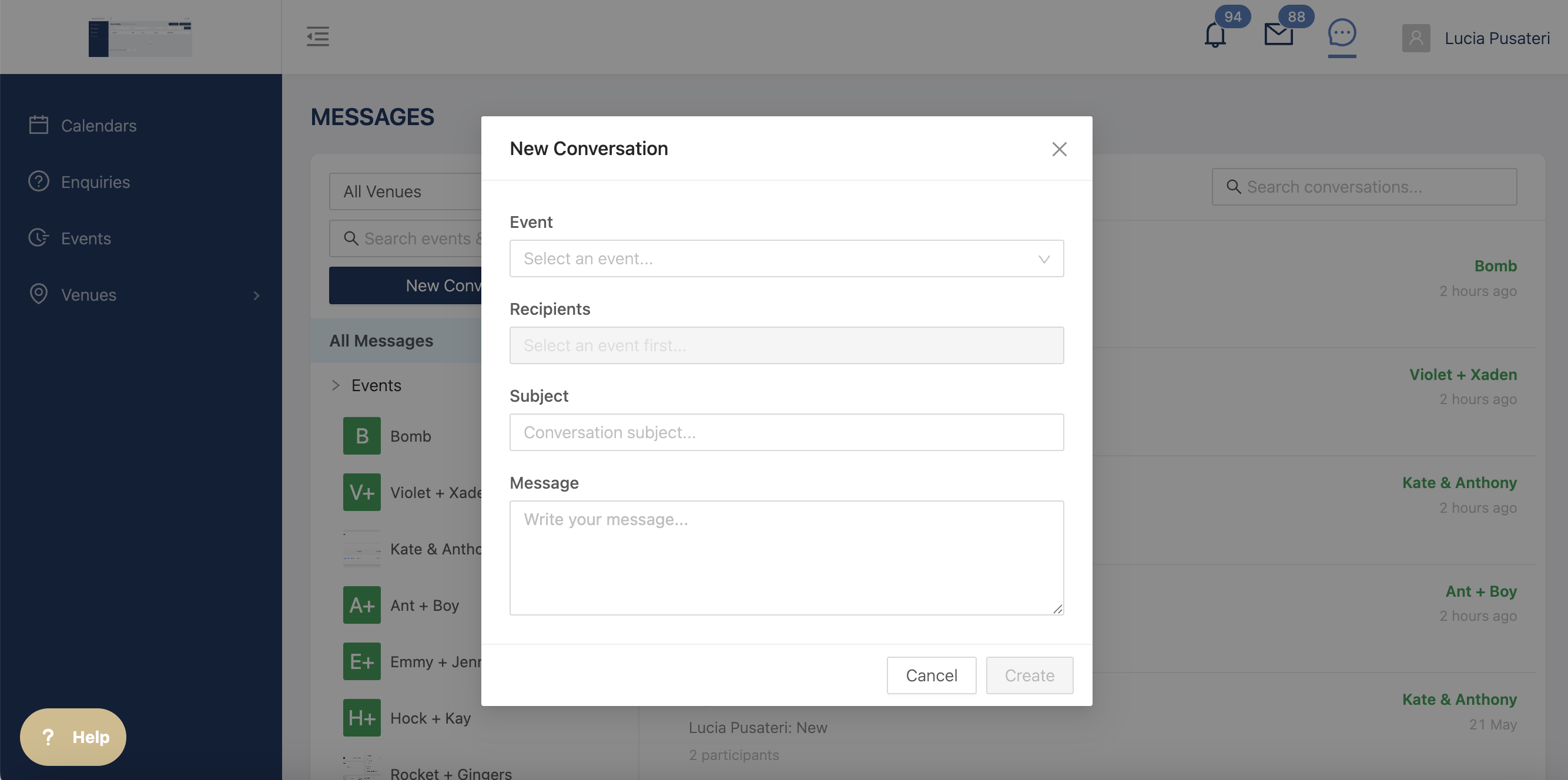
- Go to Messages on the top right hand corner
- Click on add new
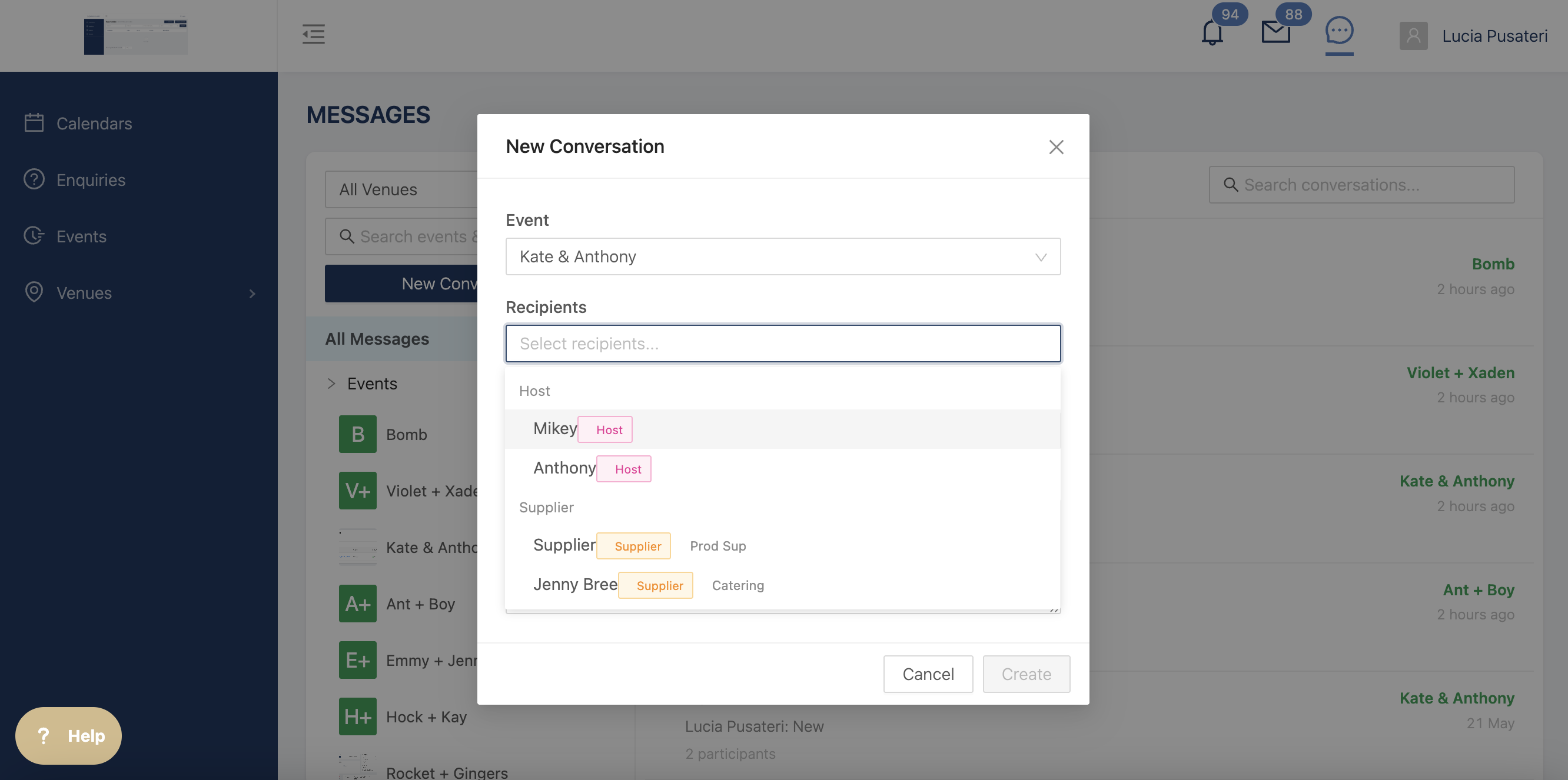
- Select the event you want to link the messages to
- Select the users you want to contact
- Send your message
Can I add a host, supplier, or venue user to an existing chat?
Yes. You can add any to an existing conversation, allowing everyone to communicate in the same chat.
Do hosts/suppliers need to use the platform?
Hosts and suppliers will need access to the relevant messaging functionality to participate in conversations. If a supplier hasn't yet joined or doesn't have access, please invite them first.