
Creating an Event from the Enquiries
To move an enquiry to the events table all you need to do is click on the confirm event button.
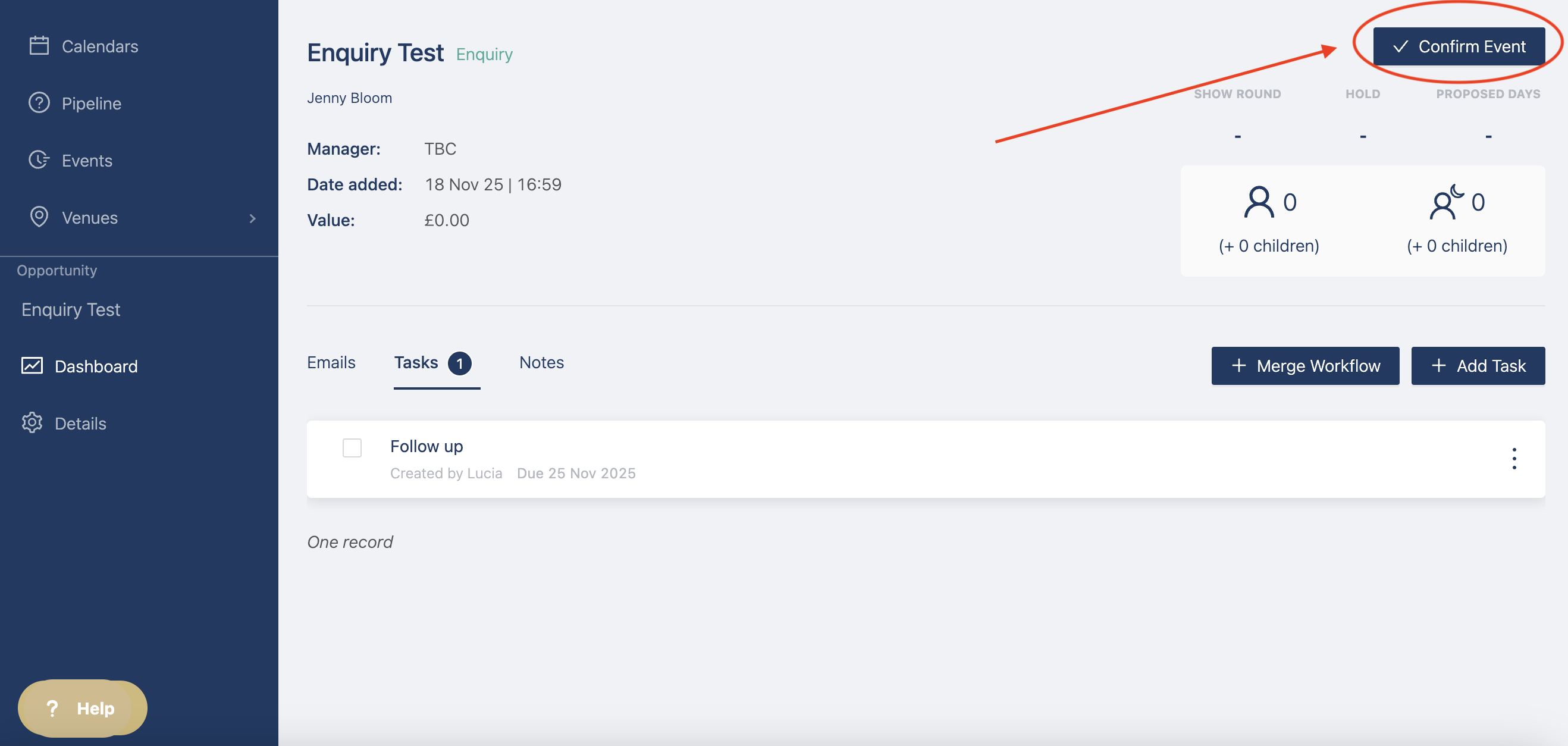
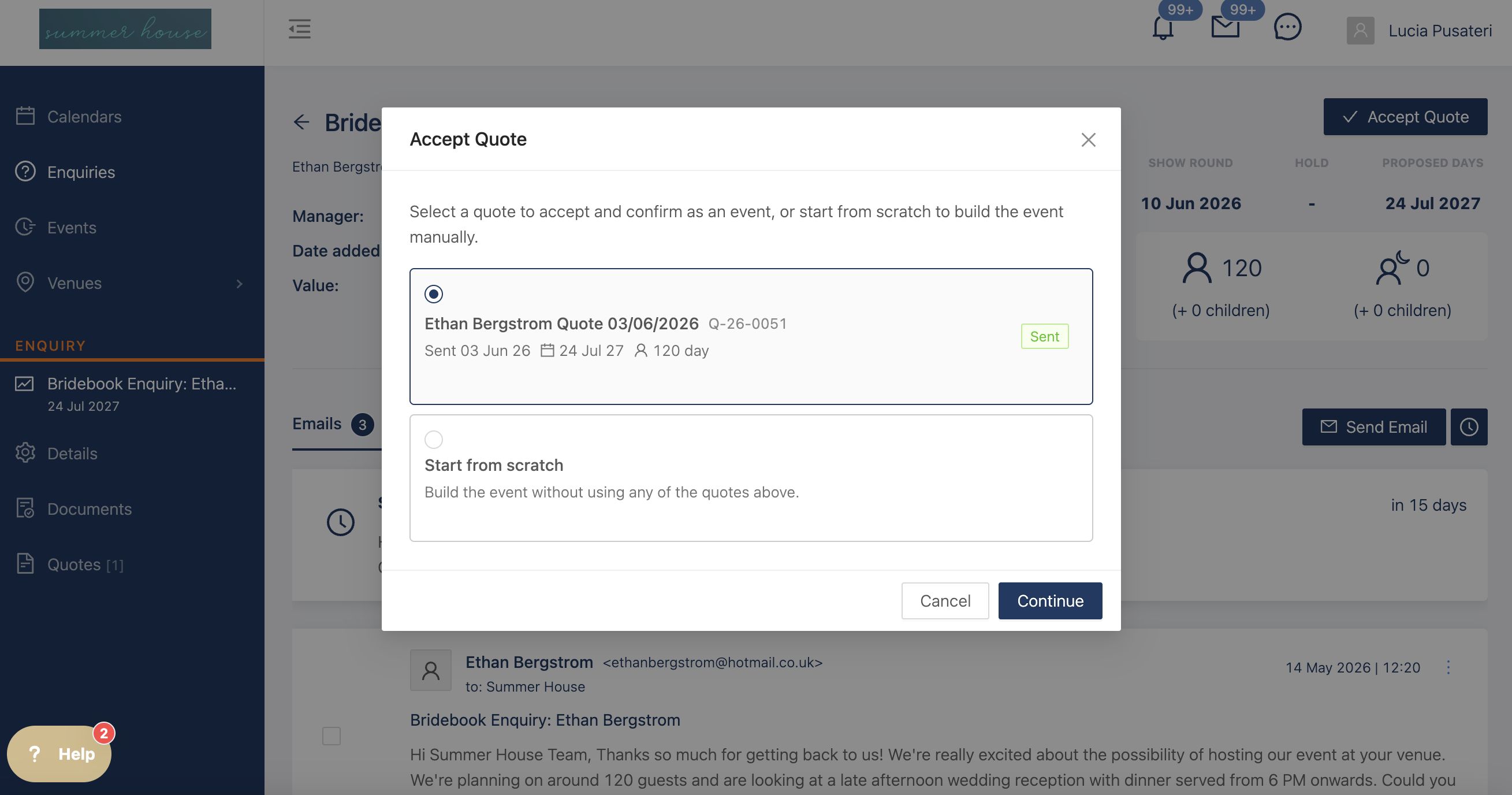
if you've sent a quote, it will say "Accept Quote", you can then decide whether to accept the quote, with the dates and event templates you added or to start from scratch.
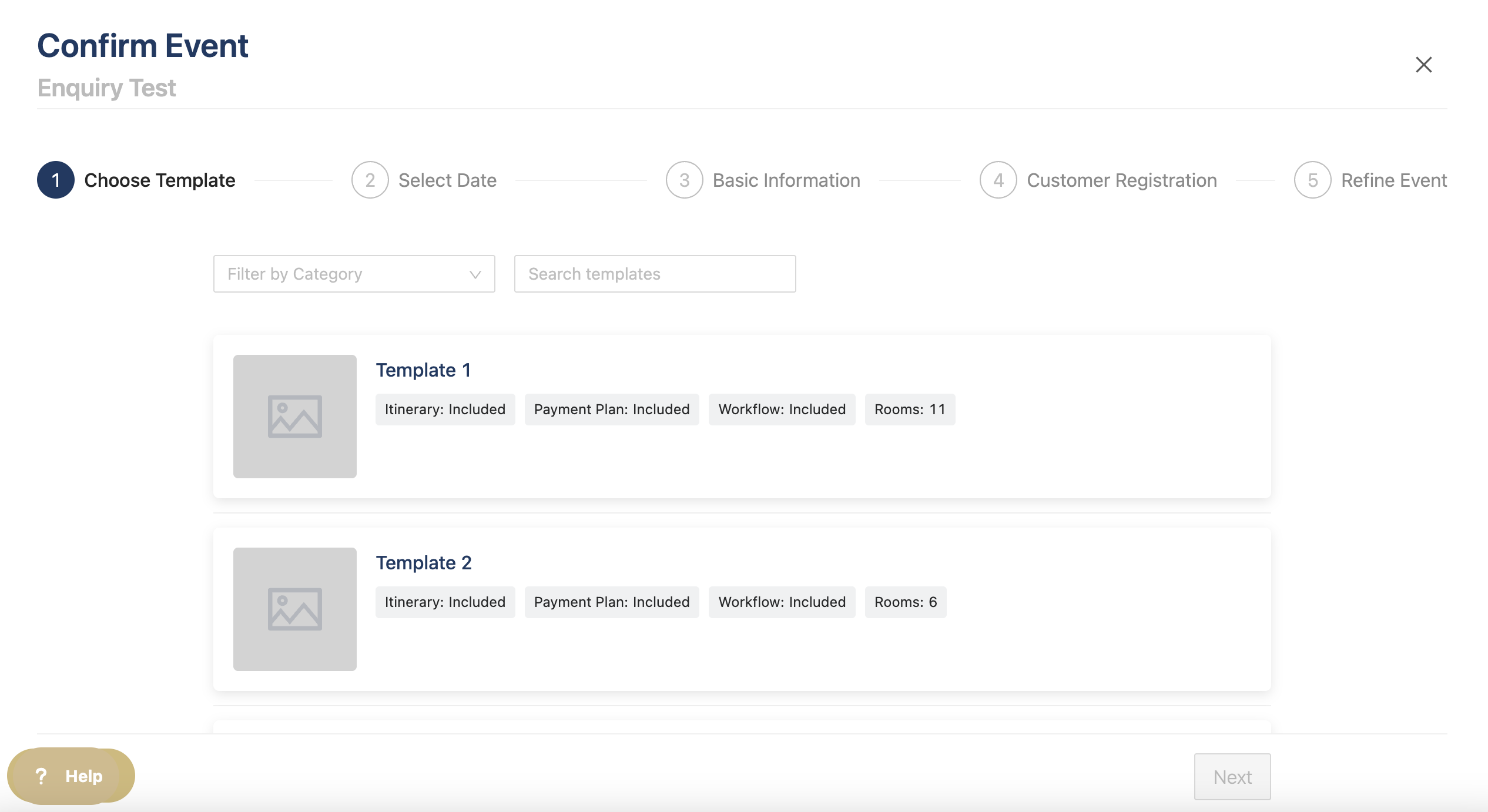
You can then choose to create the event using a template or from scratch
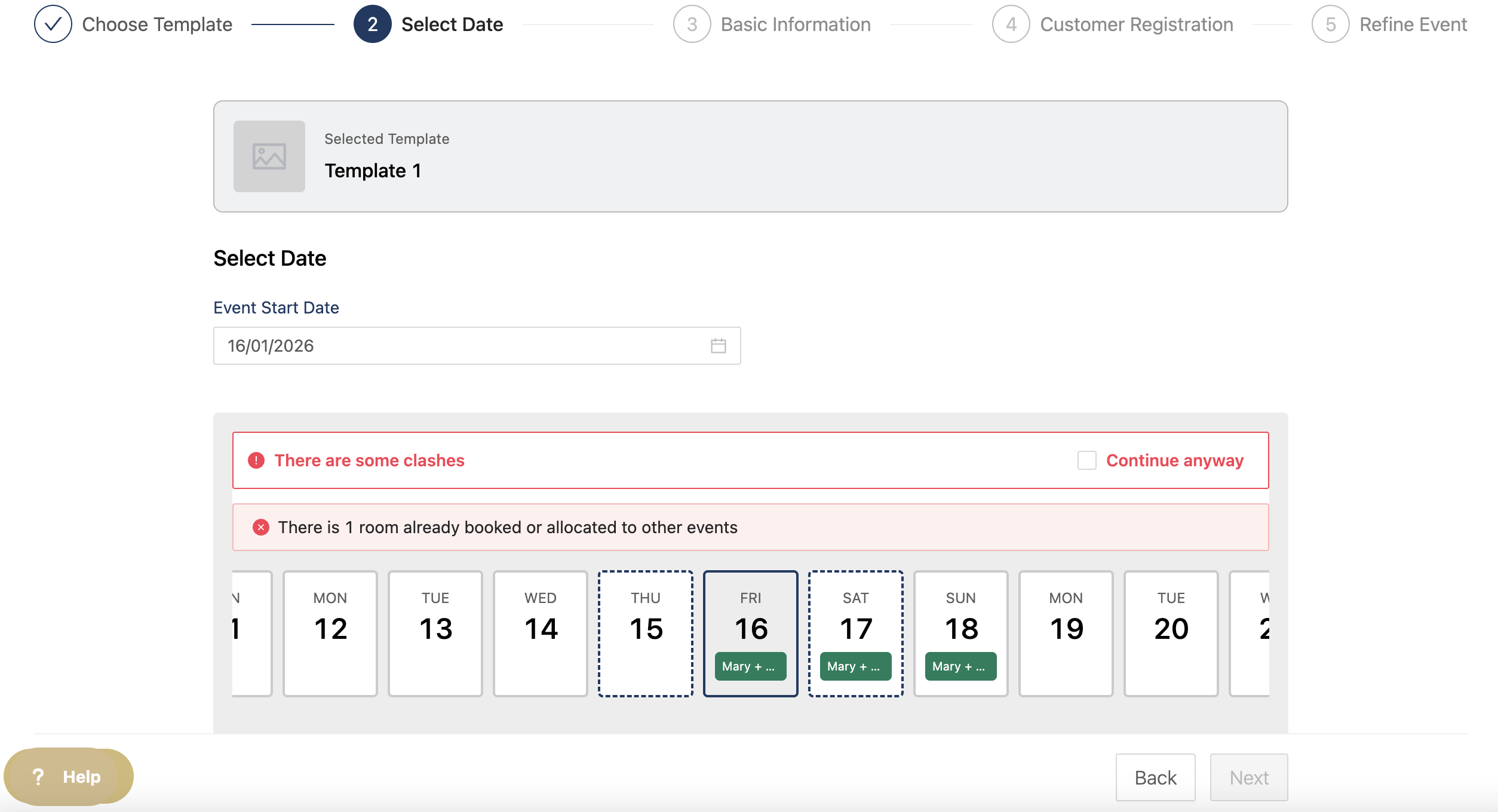
You can then select the date for the event and a calendar will pop up to show you if there are any clashes with other events.
If there are rooms assigned to the template and it clashes with another event, you can still add the new event but no rooms will be added.
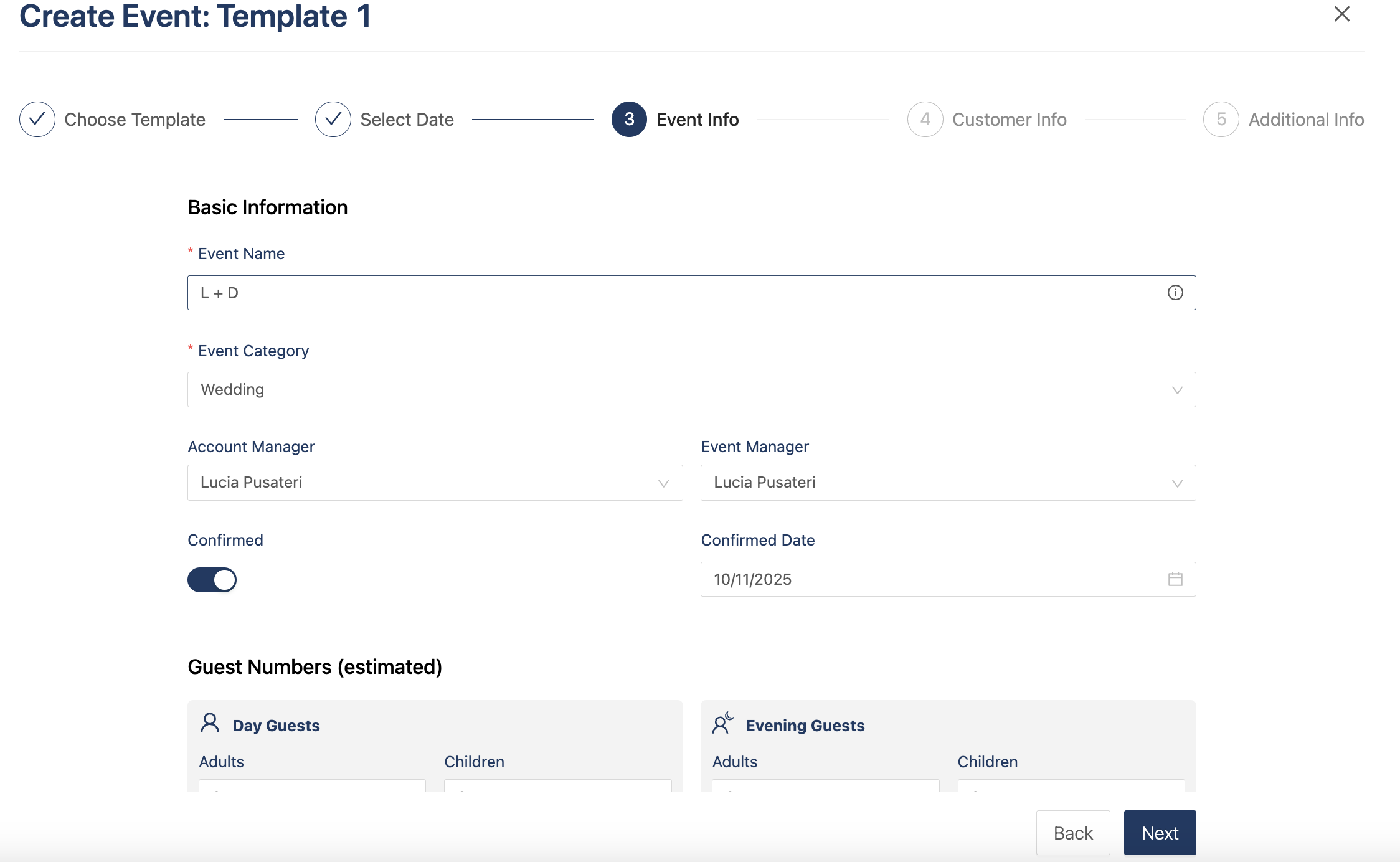
Once you've selected your dates, you can add all the following details:
- Event name
- Event category
- Account manager
- Event manager
- Guest numbers
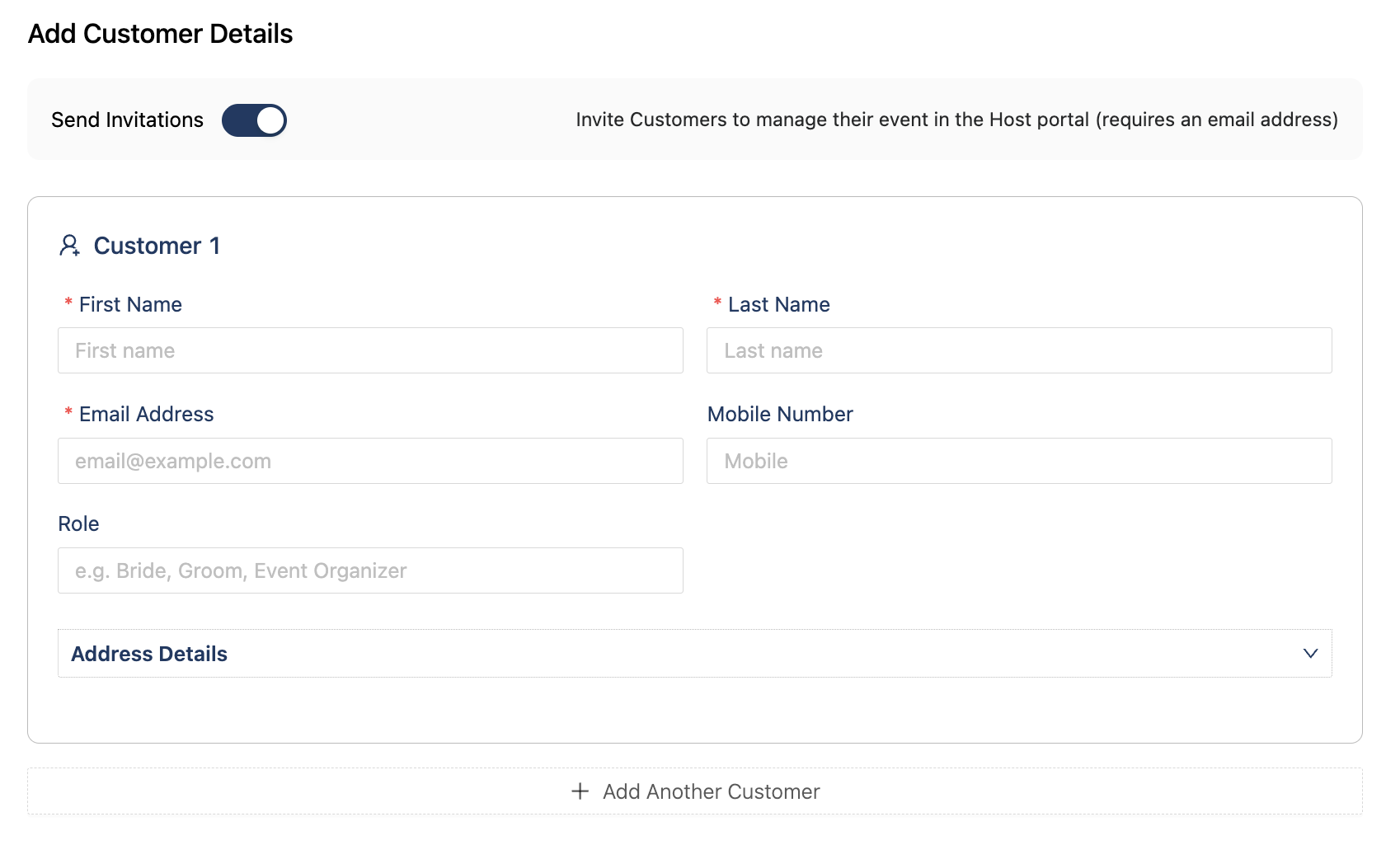
Now you add your Hosts to your event.
If the workflow added to the template has tasks for the hosts, they will not be assigned to them unless you invite them when creating the event. If you don't want to invite your hosts right away, you can untoggle "Send Invitations" and they will not be invited.
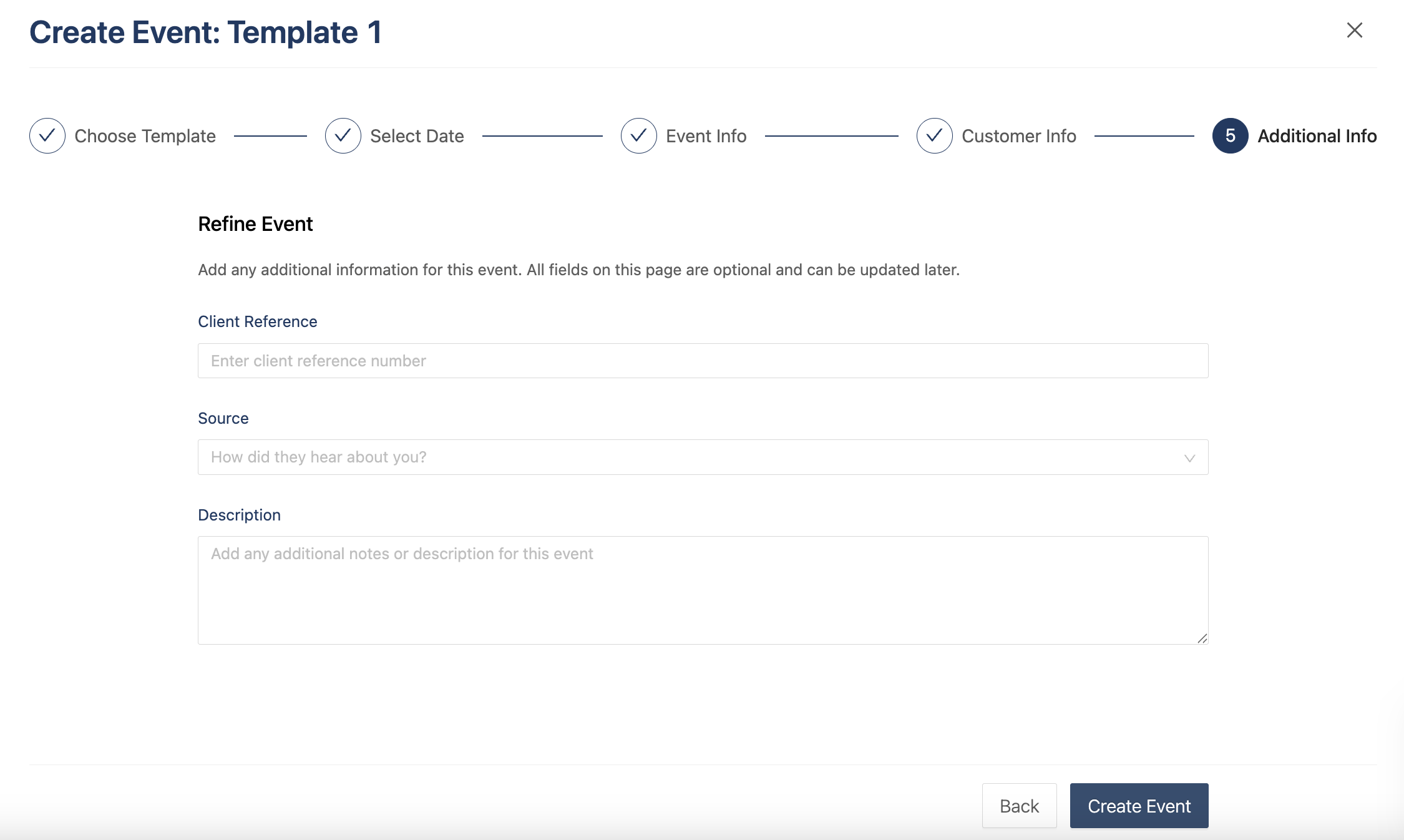
Add a client reference, source, or description of the event.
You will then be redirected to your new event with all the items you added to the templates.